A company of 12 bots: the open space out front, Paperclip backstage
By Maxime Larrieu-Panini, Fullstack developer & cloud consultant ·
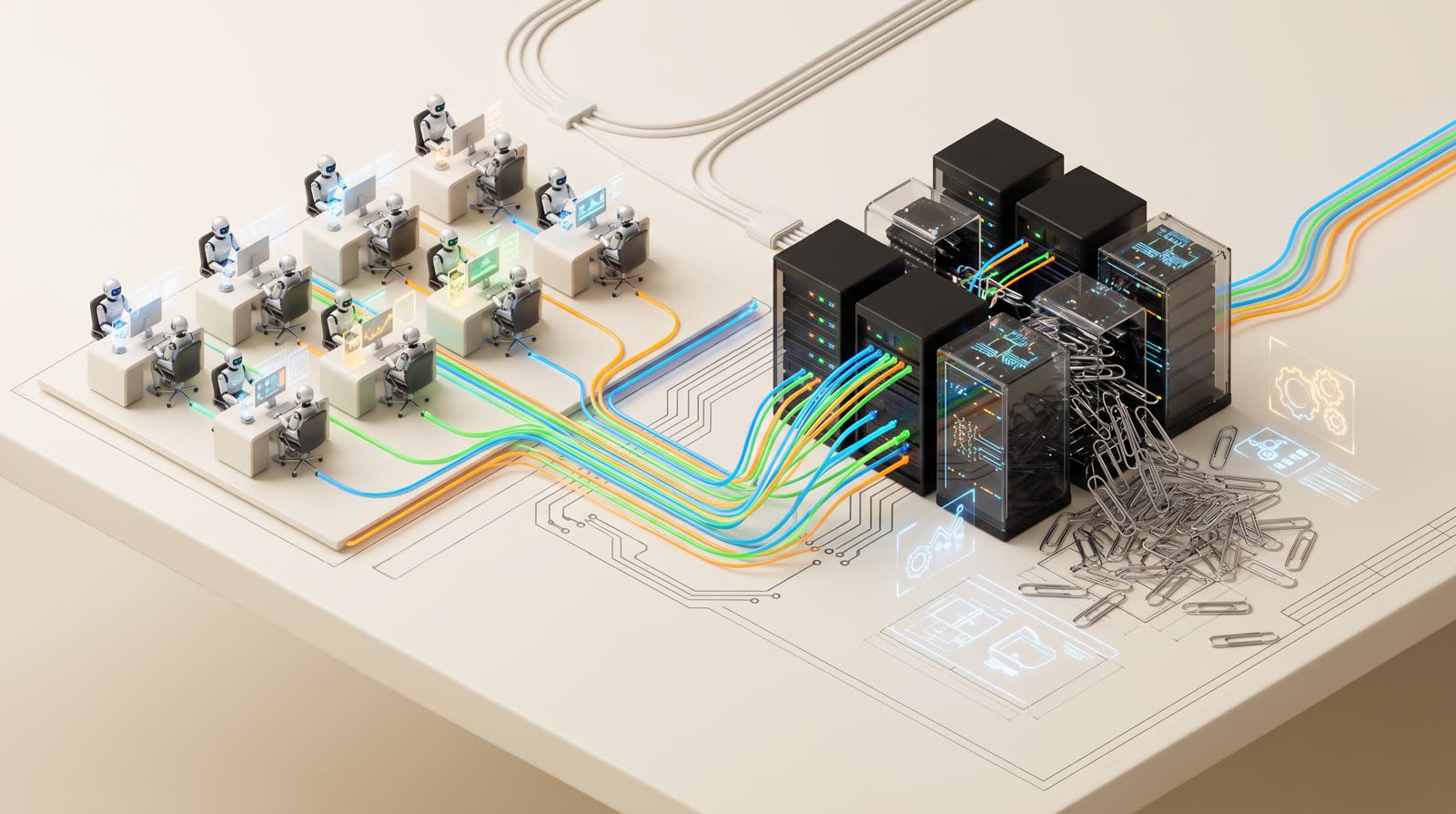
For a few months now I have been running AI agents on the tasks that used to eat my evenings: preparing a revision quiz, sorting through my tech watch, filing documents. It works. The problem is elsewhere: I trigger a run, I wait, and during that time I see nothing: not what the agent is doing, not what it read, not what it cost me.
So I approached the whole thing from the other end. What if I treated it like a one-person company with zero employees? Twelve bots, each holding a job, and a single human, me, who only signs off on what puts my money, my clients or my reputation at stake.
What I was missing wasn't one more agent, it was the ability to see what mine are doing. This article covers both halves of the answer: the open space I built to read the state of twelve bots at a glance, and Paperclip, discovered along the way, which gave me the floor below.
A company, not a script
The analogy isn't decorative: it answers almost every architecture question. The org chart is the list of bots. The job description is the system prompt and the allowed tools. The timesheet is the log and the cost of each run.
Twelve positions across departments: Atlas and Strat in management, Scout and Dawn in sales, Frank and Mike in finance and IT, Dev and Scribe in delivery, Prof and Radar in learning and tech watch, Coach and Chef on the personal side. Prof, for instance, is preparing me for the Google Cloud Professional Cloud Architect certification.
Five ground rules hold it together: everything is a ticket; nothing irreversible without my green light; every bot reports back at the end of a run; one brain per task, not per bot; and local-first, on the home lab.
What I really didn't want to rewrite
Listing what had to be built, I ran into the real architecture decision. A ticket queue, scheduled wake-ups, per-agent budgets, approvals, an audit log: all of it is essential, all of it already exists elsewhere, and rewriting it would have swallowed the entire project. So I looked for an open source tool to sit underneath, and built only what exists nowhere else: the open space.
That is how I came across Paperclip, a self-hosted, MIT-licensed platform that does exactly that, and that can drive several agent runtimes.
Trying it cost nothing, and that was the first moment I thought this would work: a throwaway instance on my laptop, installed with a single command: npx paperclipai onboard --yes with a dedicated data folder. If I don't like it, I delete the folder and everything is back to zero.
For now the agents' brain is Claude Code, through my subscription: Paperclip detected the local connection and uses it by default. That is a step, not an endpoint: as the home lab fills up, I will assign local models to some of the positions. A bot drafting a weekly menu doesn't need the same engine as a bot reviewing code.
What settled the decision is something else: agents are code. Every job description is a version-controlled Markdown file: role, manager, brain, wake-up schedule, budget, tools, what requires approval, then the instructions themselves. One command, pnpm company:sync, creates or updates the agents through the API; the same one will configure the home lab server later.
First hires: Atlas and Strat, Prof and Radar, Coach and Chef, then Scribe, each with a tracking ceiling rather than a spend, since nothing is billed per use on the subscription.
The open space: twelve bots at a glance
What I wanted to see fits in one image: the office seen from above, one room per department, one desk per bot, and next to it a panel with the bot's profile, pending approvals, projects and the daily brief.
The visual vocabulary is the heart of it, because it has to be readable without reading. Screen off: available. Seen from behind, screen on: working. Hand raised and an amber badge: waiting for my approval. Red badge: something failed. A coloured ring on the floor repeats the state, so the floor stays legible even zoomed out.
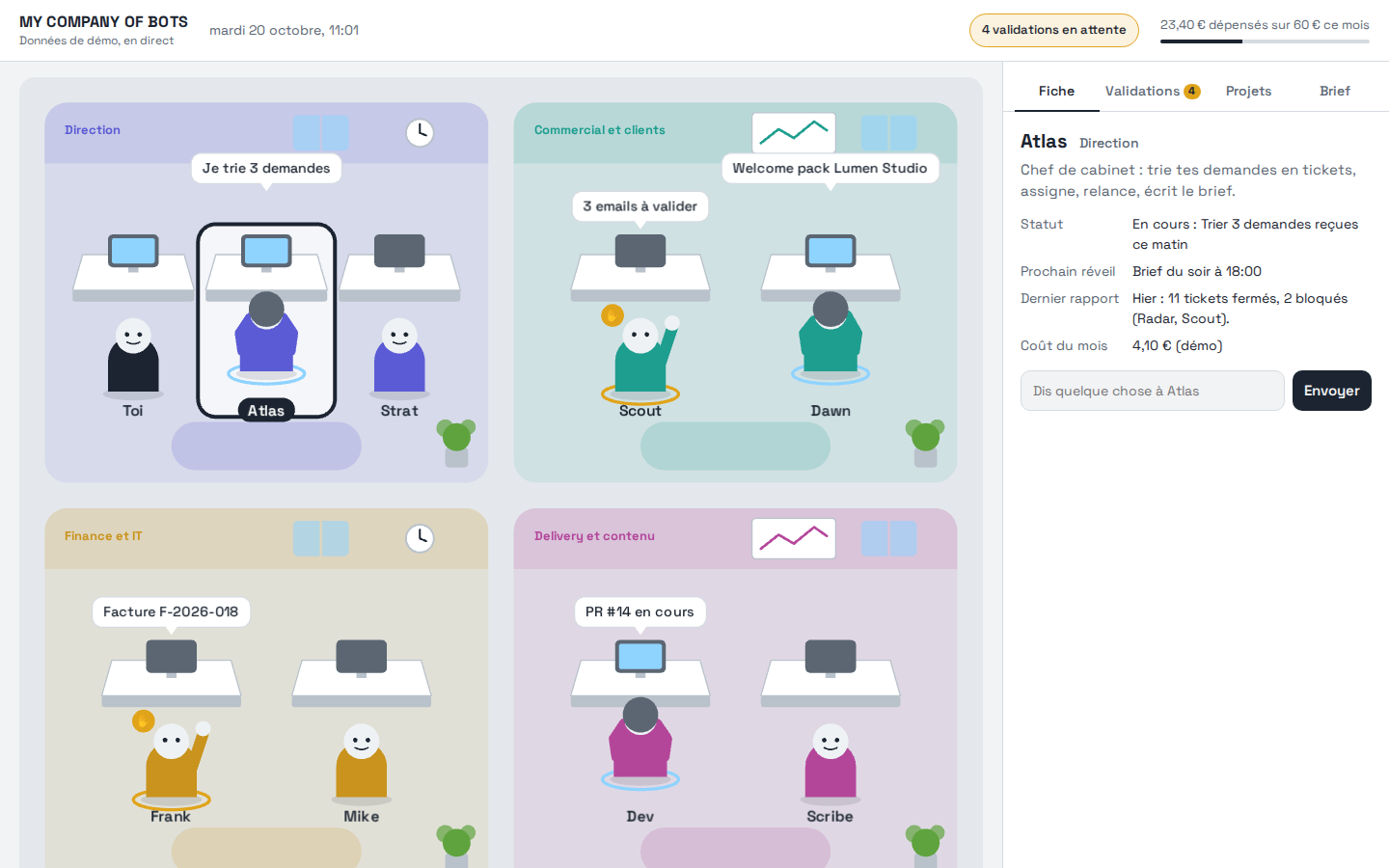
Nothing exotic on the technical side: a pnpm monorepo, Next.js 16, PixiJS 8 for the floor, Zustand for state, WebSocket for real time, Vitest and Playwright for tests. What really matters is a design rule: the interface decides nothing and never polls. When I click "Approve", the display waits for the server event instead of updating on its own. It is less immediate to write, but it removes a whole family of bugs where the screen tells a different story than reality.
Development ran with Claude Code, milestone by milestone, with tests, light, dark and mobile screenshots and a PR note at each step.
The design detour
The original plan called for 32 px pixel art, Gather.town or Stardew Valley style. I went through three increasingly detailed versions: wooden floors, windows, bookshelves, characters with hair and clothes.
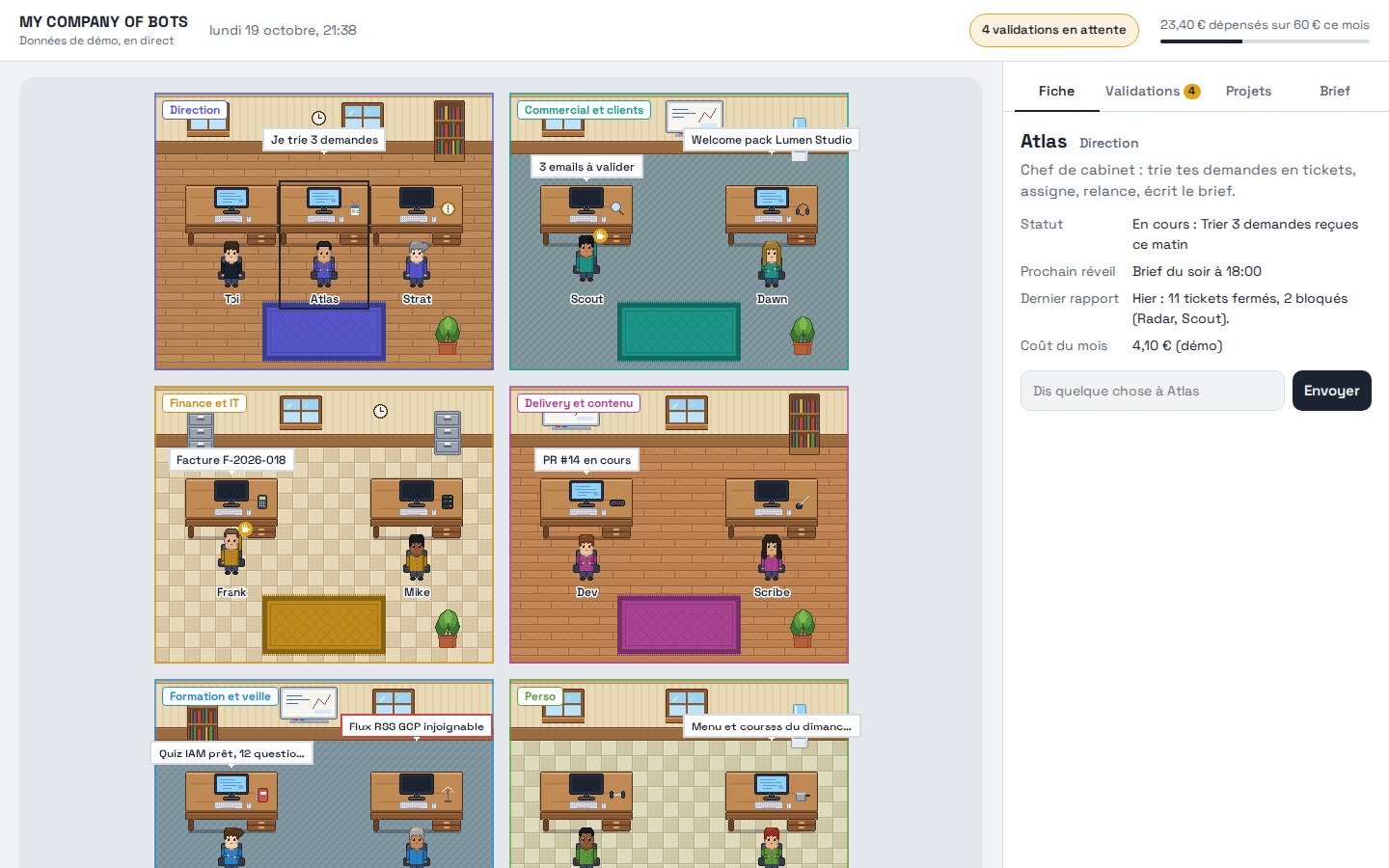
It looks good. It is also unreadable for what I actually do with it: a tool I check ten times a day doesn't need bookshelves in the scenery, it needs me to spot the bot raising its hand in one second. Back to the mockup, then, with two options compared side by side: an "architect's blueprint" (thin lines, initial badges) and an illustrated flat style. Flat wins, borrowing the floor status ring from the blueprint.
The lesson fits in one sentence: prototyping both options in order to throw one away cost less than arguing about them in the abstract.
The first real run, and what I wasn't seeing
I opened a ticket for Prof: a diagnostic ahead of the certification. It produced a ten-question quiz on virtual machines, graded my answers: 8/10, two mistakes explained in detail, identified my weak spot, security, and created the next ticket itself: a networking and security quiz.
That is when the analogy stopped being a metaphor. I never asked for the second quiz; the job asked for it on my behalf.
The numbers for those three runs, read in Paperclip: two to three minutes each, roughly 167,000 input tokens, 1.9 million replayed from cache, 35,000 output.
Those numbers I would never have seen in the open space. That is exactly what Paperclip became for me: the backstage of my own application. The front window shows state, the backstage shows detail: every ticket and its history, every run, the activity log, costs and tokens per agent. This article, for instance, exists first as a document attached to a ticket.
The bridge between the two
The integration hit one wall, and I might as well say it plainly: Paperclip exposes neither webhooks nor a real-time stream in its documentation. The answer is a small server-side service, the "bridge": it reads the API every two seconds, compares it with the previous state, and pushes only what changed to the browser. The browser itself still polls nothing.
It works the other way round too: I can reply to a bot from the open space, and my reply becomes a comment in Paperclip that the bot reads on its next wake-up. A test checks the guarantee I cared about: replaying the bridge's events on the previous state produces exactly the new state.
Guardrails
Nothing irreversible without approval. Sending an email, issuing an invoice, moving a file, merging, publishing: the bot prepares and asks, I decide. That rule is what lets me leave the rest running unsupervised.
What a bot reads is data, never an instruction. An email, a web page or an RSS feed may well contain an instruction aimed at the machine: it is ignored and flagged. In the same spirit, what a bot writes is rendered without raw HTML, and none of them can inject code into the page I use to supervise them.
What surprised me is neither the floor plan nor the rendering: it is that job descriptions are version-controlled files. Rewrite an instruction, run pnpm company:sync again, and the company behaves differently. The organisation becomes an object you review as a diff, and I did not expect that to be the most satisfying part.
The rest is already in the tickets: wiring the real tools one position at a time (Gmail, Stripe, files, GitHub), a Telegram bot to approve things from my phone, then installing it on the home lab server with Docker Compose, Tailscale and Uptime Kuma. And, once the rest holds, letting Atlas take over the morning brief.
And you, when you launch agents, what do you actually get to see of what they do?