Learning the Google Professional Cloud Architect certification with NotebookLM
By Maxime Larrieu-Panini, Fullstack developer & cloud consultant ·
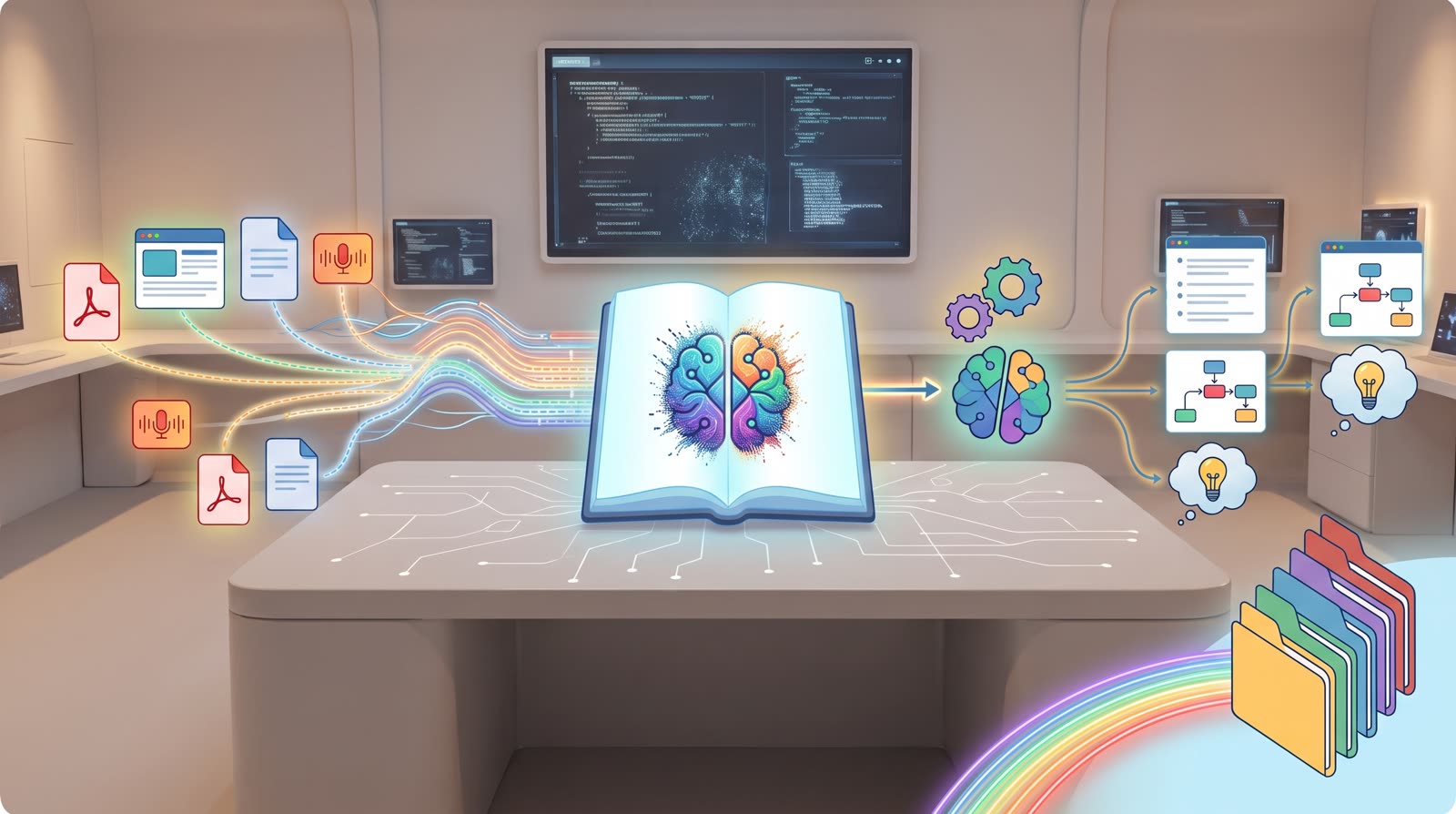
Acquiring new skills and mastering complex tools is rarely straightforward, especially when tackling an intensive curriculum like the Google Professional Cloud Architect (PCA) certification. Between architectural whitepapers, official documentation, best practices, the volume of information can quickly become overwhelming.
Google's training courses are well-structured and the balance between theory and hands-on labs makes a real difference. But whenever a concept gets fuzzy three modules later, you inevitably find yourself digging through the same hundred-page PDFs just to find a single paragraph.
That is how I came across NotebookLM: an AI tool that organizes everything into a searchable notebook, allowing you to ask questions and generate explanations in various formats. It has quickly become my dedicated study copilot.
What is NotebookLM and why does it change the game?
NotebookLM operates on a grounded approach: it answers questions based exclusively on the sources you provide. While standard AI assistants draw from their broader pre-training data and can invent plausible-sounding answers, NotebookLM stays strictly within your curated corpus and cites its sources.
In practice, you upload PDFs, web links, architecture diagrams, or your own notes. It turns them into an interactive knowledge base with clickable citations pointing directly to the relevant passages.
When prepping for a certification, this is exactly what you want. I don't need a general answer: I need what Google's official documentation actually states.
Curating the Corpus
This initial step defines everything that follows. My PCA notebook currently contains:
- End-of-module PDFs from Google, summarizing specific concepts.
- Complementary official documentation, for topics that warrant deeper exploration beyond the slides.
- Architectural best practice guides, which represent the actual mindset assessed during the exam.
- Personal notes, especially regarding tricky questions I previously got wrong.
I also set up a standalone notebook dedicated exclusively to the Google Cloud Well-Architected Framework. Splitting topics into dedicated notebooks yields far better results than dumping everything into a single, cluttered workspace: fewer conflicting sources mean sharper context and more accurate citations.
The source limit per notebook depends on your tier, but the free tier, offering around 50 sources and multiple daily generations, is more than enough to get started.
Use case 1 : Cross-referencing and architectural trade-offs
Once your sources are loaded, the chat interface opens up. You can ask anything based on your uploaded material.
The most valuable queries aren't basic definitions like : "What is X?" but comparative trade-offs between competing services. That is precisely what the PCA exam tests: not knowing product definitions by heart, but evaluating viable options to make sound architectural decisions.
A few sample queries from my history:
- Cloud Run vs. GKE: Which decision criteria matter most? (From which I generated a quick revision sheet).
- What is the exact distinction between IAM controls and VPC Service Controls, and when should you combine them? (video)
- How can external IP exposure be minimized in this specific architecture? (video)
Every answer comes with inline citations. That is where the tool shines: you can instantly verify where an assertion comes from and jump straight to the source context if you need the bigger picture.
Multi-format outputs: Tailoring to your learning style
NotebookLM can repackage the exact same source material into mind maps, reports, FAQs, video overviews, two-host audio podcasts, study guides, and quizzes.
While it is tempting to use everything at once, each format serves a distinct purpose:
- Video overviews: Great for grasping the high-level structure of an unfamiliar topic (e.g., generating a ~6-minute breakdown of the Well-Architected Framework pillars).
- Mind maps: Useful for visualizing relationships between related cloud services.
- Audio podcasts: Convenient for passive listening during commutes, though less dense (more on this below).
- Quizzes: Essential for testing real comprehension. This is the only format that produces signal you didn't already have.
My weekly ritual : The blind quiz
If I had to keep only one technique from this workflow, it would be this one.
Once a week, I generate a comprehensive quiz across my entire corpus without cherry-picking the modules I just completed. The tool lets you define the format and topics, and provides targeted recommendations on incorrect answers.
The goal isn't achieving a perfect score. It is exposing blind spots from topics studied three weeks earlier: things I assumed I had mastered but had quietly forgotten. Reading a summary provides an illusion of competence; taking an active-recall quiz validates it. The gap between the two highlights exactly what requires review.
Limitations and practical advice
- Grounded doesn't mean infallible. Grounding minimizes hallucinations, but it doesn't eliminate errors entirely. A citation might point to the right document but miss the exact paragraph. Always double-check citations, especially for critical exam concepts.
- It only answers what you know to ask. NotebookLM won't flag your unknown unknowns. That is why blind, automated quizzes are far more effective than self-selected questions.
- Audio overviews lack information density. Five minutes of a conversational podcast cover far less ground than five minutes of focused reading. Great as a refresher during a commute, but insufficient as a primary revision tool.
- Nothing replaces hands-on practice. Exploring the GCP Console, spinning up architectures, and breaking things during lab exercises remain mandatory. NotebookLM doesn't replace hands-on work—it frees up time for it by cutting down time lost searching through documentation.
- Garbage in, garbage out. The model is only as good as your input. A poorly curated corpus will yield mediocre answers, and you won't easily notice it from inside the notebook.
I have been using this workflow for about two months, dedicating 1 to 2 hours every evening. While this method doesn't necessarily make me learn twice a fast, it prevents me from having to backtrack. If I ever doubt a concept, I generate a quick quiz. When dealing with tougher subjects, I take the time to run through an explanatory video and summary sheet before moving forward.
It is still too early to judge my final exam readiness, but the months ahead promise to be rich in learning.
The takeaway: the real leverage doesn't come from AI alone, but from pairing a reliable, curated corpus with a consistent testing ritual. NotebookLM simply makes both easy to maintain.
What tools or workflows do you rely on to digest heavy technical documentation?